Overview
This project is an inexpensive lighting and video control platform that transforms any space into an interactive audiovisual experience for electronic music. Commercial lighting systems, even for a small venue, can easily cost tens of thousands of dollars — requiring expensive fixtures, rigging, and a dedicated DMX controller like a grandMA. As a college student, this was out of reach for me, and seemed overpriced for the actual cost of the hardware itself.
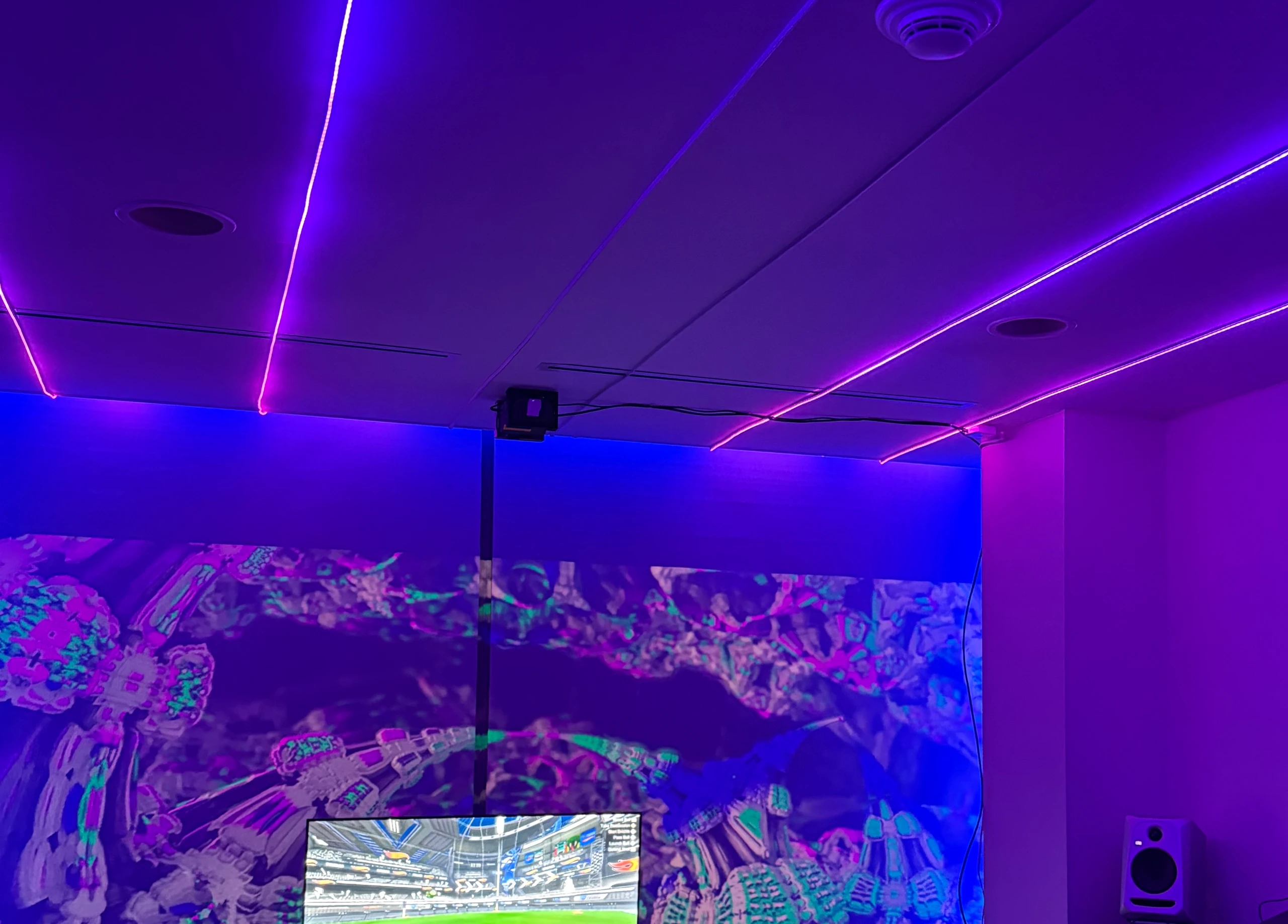
After some research, I settled on ceiling mounted addressable LED ropes as the primary lighting for the space. These can be bought for relatively cheap and are easy to control. Using a Novation Launchpad along with custom hardware and software, this system allows a user to instantly trigger effects on addressable LED ropes, video projectors, and RGB laser scanners via the Launchpad's backlit silicone pads.
This allows for an immersive performance space for electronic music to easily be set up in any location, where the DJ and LD can perform together in real time. The system is powered by six addressable LED ropes, a short throw laser projector, two custom RGB laser scanners, and ESPs controlling all the hardware. There is a dedicated WiFi network for the ESPs to communicate with a central laptop, which is connected to the Launchpad.
Features
- Launchpad Control: Intuitive physical interface for triggering scenes, effects, and colors
- Synchronized Lighting: Addressable LED ropes respond in real-time for live performance
- Video: Coordinated video playback for full room immersion
- Flexible API: Broadcasts commands to other devices, like lasers, via WiFi
Each group of three overhead LED ropes is connected to a custom power distribution system and an ESP32 microcontroller running the WLED firmware. The story is the same for the RGB laser scanners, while the overhead ultra short throw projector is connected via HDMI. The Python script that runs the control software connects to the Novation Launchpad over USB, and in addition to listening for button presses from the Launchpad, controls the colors below each silicone button. A visualization is shown to the user during the show as a reference to different macros they have set up, which can be configured through a JSON file.
Rather than using a hardwired protocol like DMX or physical layer like Ethernet, WiFi was chosen for its simplicity. While the latency is slower, it is fast enough to still immediately trigger effects, and makes wiring significantly easier. This solution may not be suited for large venues, but it certainly makes sense for living room performances. Even with over thirty people in the space, interference and congestion was never an issue. Simpler macros are handled via TCP, while certain live effects are handled via UDP.
The following table shows the functions of each row on the Launchpad, which can easily be customized in the included JSON.
| Launchpad Row | Function |
|---|---|
| 0 | Effect Speed and Brightness |
| 1-2 | Effect Macros |
| 3 | Static Color Macros |
| 4 | Dynamic Color Macros |
| 5-6 | Projector Video Macros |
| 7-8 | Laser Effect Macros |